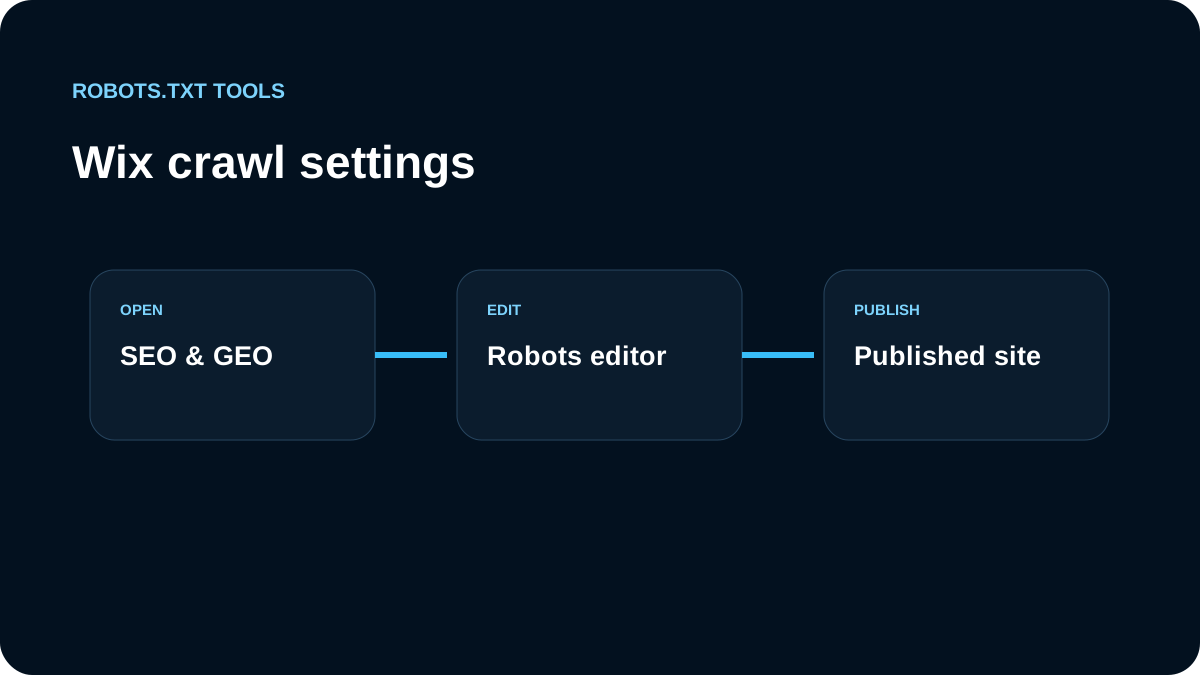
In Wix, we start with the platform controls rather than looking for a repository file. The current workflow is under SEO & GEO → Tools and settings → Robots.txt Editor.
We inspect the live file first
Before editing, we open the site's public /robots.txt. This tells us what crawlers actually receive and gives us a baseline before touching platform settings.
We change only rules we can explain
The Robots.txt Editor can override platform defaults, so broad rules deserve caution. We test paths before and after a change and avoid copying generic blocklists that do not match the site's URL structure.
User-agent: *
Disallow: /example-private-path/
A path like that should exist for a clear crawl-control reason, not simply because it appeared in another site's file.
Reset to Default is part of the recovery plan
Wix exposes Reset to Default. We treat that as useful operational safety: when a custom file has accumulated uncertain rules, comparing with the default can be safer than adding another exception.
We separate page indexing from robots.txt
If the requirement is to keep a public page out of search, we review Wix page-level indexing/noindex controls. Blocking the page in robots.txt can prevent a crawler from reading noindex, so crawl control and indexing control must remain separate.
Protected pages are an access-control problem
Password-protected or members-only content should rely on Wix access settings, not on a public Disallow entry. Robots.txt is not authorization.
What Wix manages automatically
Wix currently says its robots.txt file is open to search crawlers by default, while some pages may be inaccessible because they are password protected, members-only, or configured not to be indexed in the Editor or SEO settings. That means a "Blocked by robots.txt" report is not automatically evidence that the raw Robots.txt Editor needs a new exception.
Before editing, we check the page's own visibility and indexing settings. This prevents a custom robots rule from fighting a platform-level setting that already expresses the intended outcome.
We treat custom robots.txt as an advanced override
Wix explicitly warns that editing robots.txt is an advanced feature and can affect search visibility. Our change process therefore has a rollback point:
- capture the current live file;
- record the specific URLs and crawler behavior we want to change;
- make the smallest custom edit;
- publish;
- re-fetch the live file;
- test the affected URLs;
- use Reset to Default if the custom history is no longer trustworthy.
That is safer than accumulating rules whose original purpose is unknown.
Cache and Search Console reports can lag
Wix notes that search engines update their cached robots.txt when they crawl the site again. If Wix is already serving the intended file but Search Console still reports an older block, we do not immediately rewrite the file. We first confirm the live response, page indexing settings, and the exact URL reported.
Wix also suggests that submitting the homepage for reindexing can help prompt a refresh. We treat that as a discovery/request step, not a guarantee of immediate crawler-cache replacement.
We publish and verify
After saving, we open the live file again and run it through the robots.txt validator. For specific URLs, we use the tester and confirm the winning rule.
We troubleshoot "blocked" reports in the right order
For a page that unexpectedly disappears from search, our Wix sequence is: inspect the public page status, check page-level indexing settings, check password/member restrictions, fetch the current robots.txt, and only then edit the Robots.txt Editor if the live rule itself is wrong.
That order matters because Wix can update robots behavior from platform settings. A custom exception added too early may mask the real setting and create a second source of truth. When the page is meant to be public and indexable, we want the Wix visibility controls and the live robots response to agree rather than relying on one to compensate for the other.
Our Wix checklist
- open the live
/robots.txt; - review SEO & GEO → Tools and settings → Robots.txt Editor;
- understand the current default before adding custom rules;
- use Reset to Default when custom history is uncertain;
- use page-level noindex for indexing decisions;
- keep password/member protection separate from crawler rules;
- verify production after every change.
Wix makes the file editable, but the platform still owns important defaults and indexing controls. We work with those boundaries instead of treating Wix like a hand-managed server.